Sunday, June 23, 2013
Wednesday, January 30, 2013
Note About Visual Effects
here is some notes from a TED video about visual effects.
- Visual effect is based on principles of all illusion :
Assumption: things are the way we know them
- Playing with the world and our perception of it, is the assents of visual effects
- Visual effect is based on principles of all illusion :
Assumption: things are the way we know them
Presumption: things will behave as we expect
Context in reality: knowledge of the world as we know it
- Never betray the illusion
To see the video: Don Levy: A cinematic journey through visual effects
Sunday, December 2, 2012
Notes About Edges
I found these Notes laying around my hard disk, thought of sharing it.
it belong to someone,I do not remember from where I took it or saw it.
let me know if you know the owner.
In general, edges are:
Harder in the light, softer in the shadow
Harder in bright light, softer in dim light
Harder in focused light, softer in diffused light
Harder in the foreground, softer in the background
Harder on smooth forms, softer on textured forms
Harder on hard forms, softer on soft forms
Harder on flat forms, softer on rounded forms
Harder on thin forms, softer on thick forms
Harder on still forms, softer on forms in motion
Harder at the center of interest, softer as you move away
it belong to someone,I do not remember from where I took it or saw it.
let me know if you know the owner.
In general, edges are:
Harder in the light, softer in the shadow
Harder in bright light, softer in dim light
Harder in focused light, softer in diffused light
Harder in the foreground, softer in the background
Harder on smooth forms, softer on textured forms
Harder on hard forms, softer on soft forms
Harder on flat forms, softer on rounded forms
Harder on thin forms, softer on thick forms
Harder on still forms, softer on forms in motion
Harder at the center of interest, softer as you move away
Thursday, July 12, 2012
Notes About Reducing Render Time Out of 3D software
To Reduce Render Time One Can:
- Reduce poly Count
- Bake Light And Ambient Occlusion for non moving Objects
- use Light Linking
- looking into Shadow Size
- using image plane where possible
- Rendering In layer
no need to render a BG for 300F when the camera, light and the object not moving ONLY the characters are. Just render one frame then comp it later.
- Consider Compositing in the workflow
there are many other little settings in the render option or in the shader option could help to reduce the render time.
- Reduce poly Count
- Bake Light And Ambient Occlusion for non moving Objects
- use Light Linking
- looking into Shadow Size
- using image plane where possible
- Rendering In layer
no need to render a BG for 300F when the camera, light and the object not moving ONLY the characters are. Just render one frame then comp it later.
- Consider Compositing in the workflow
there are many other little settings in the render option or in the shader option could help to reduce the render time.
Thursday, March 15, 2012
Generalist VFX production pipeline For Short Film
This Pipeline is meant for one who is working on short film from A to Z ,involved integration between CG and live action. this chart gives general look on the stages from beginning to end. one not necessarily to follow the step exact way, one can change it depend on how comfortable one feel with the step. It depend on the film, these steps maybe less or may other steps add to it. Image Original Size
Sunday, March 4, 2012
Some Important Render Passes
These some passes that will help to easy manipulate CG when comping it. One may need all of these or more or just few of them, it depant on the final output.
Beauty
Diffuse
Color
Ambient Occlusion
Indirect
Shadow
Reflection
Refraction
Specular
Some other helper passes to add effects and other things:
Z Depth
2D Motion Vector
Normals
World Space (point world)
Id\ Mask
UV
Beauty
Diffuse
Color
Ambient Occlusion
Indirect
Shadow
Reflection
Refraction
Specular
Some other helper passes to add effects and other things:
Z Depth
2D Motion Vector
Normals
World Space (point world)
Id\ Mask
UV
Monday, February 27, 2012
Using RGBA in other then what made for
Many people think that RGBA only used with image pixel information and to define the color of an image. But
idea of RGBA can be used to hold masks, depth values, xyz and some other things. when render out form 3D software, in case that it needed some masks for the objects in the scene so it will be easy later to edit in compositing software, use RGBA to hold these masks by assigning these colors to the objects then render it out as a normal image. (red, green, blue, black, white) (be sure not to assign same color to object next to each other). also RGBA can hold XYZ values, which can be very helpful in compositing software. can be use in color correction, relighting, position 2D object in relation the 3D object...so on.
Tuesday, February 21, 2012
Things to be considered when integrating CG with Live Action
These are some of the things :
- Light: Direction - intensity - over all color - source count
- Shadows: Direction - Color - Strength - Soft\sharp - contact shadow
- Reflection: Strength - over all color - the distortion
- Matching: White & Black Point
Depth of Feild
Grain
Camera Destortion
Color Feel
Monday, February 20, 2012
The 80/20 Rule
The 80/20 Rule is :
Finish 80% of the work (shot \ animation \ Vfx \ anything ) in 20% of Time. But
In 80% left of time Finish the 20% left of the work (this 20% is what give the work the Wow, The Likeness, the acceptance)
Finish 80% of the work (shot \ animation \ Vfx \ anything ) in 20% of Time. But
In 80% left of time Finish the 20% left of the work (this 20% is what give the work the Wow, The Likeness, the acceptance)
Camera shake
One of the ways to make a CG shot look reel is to add randomness and irregularities.
For Example: Camera shake. not always the camera should be smooth, sometime a bit of mistake or shake add the extra touch.
Friday, February 17, 2012
Realistic monitor replacing
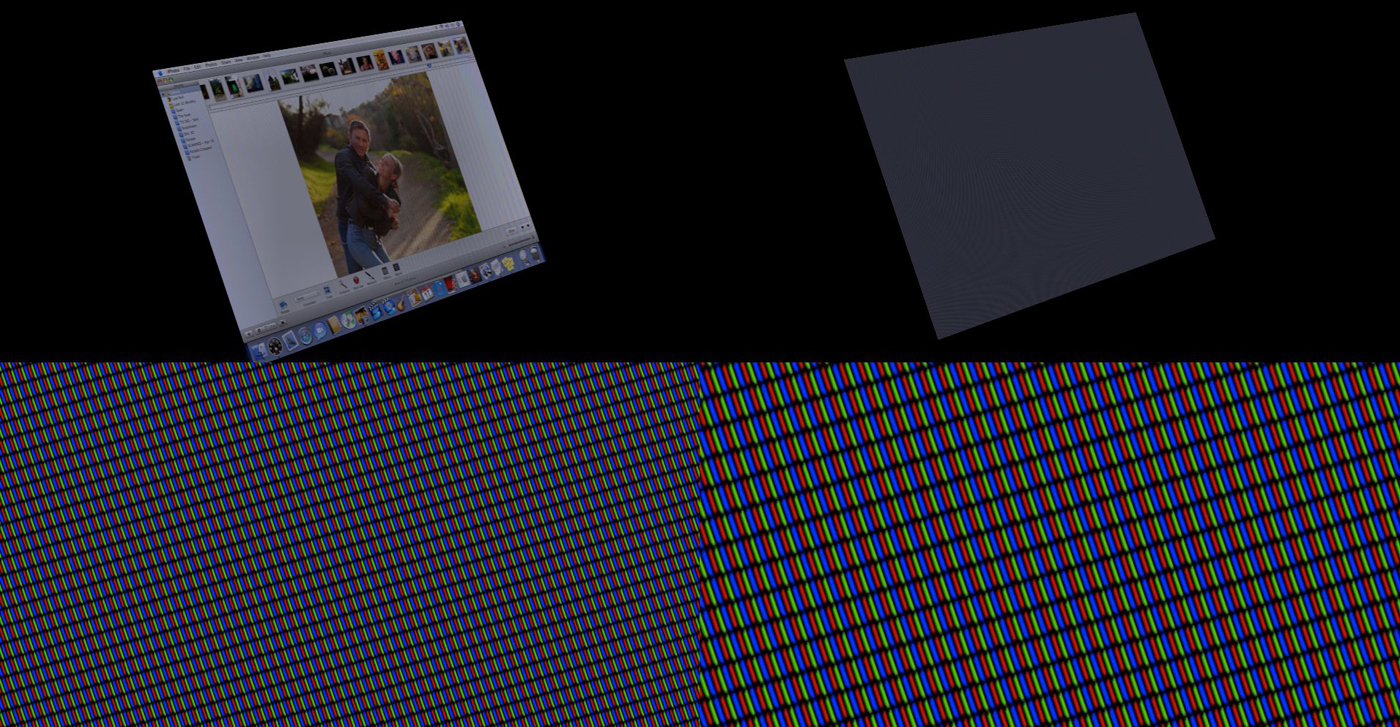
"A nice way to give realistic to monitor replacing is to rebuild all the pixels and flicker as the reel monitor will have while shooting it.then comp it over whatever image you want to replace the screen with." A note from an Interview in (The Art of VFX)... you can read the full article over HERE
Thursday, February 16, 2012
NUKE Render Every other
2D Motion Vector Pass
If Happen that you Found that your render passes not align with each other in case you have the 2D Motion Vector Pass rendered in same layer as some passes. that because 2D Motion Vector Pass will make time offset to calculated its data so any other pass render in same as 2D MV pass will have the offset.(If you render 2D Motion Vector Pass in separate layer, you may not have much problem)
So one solution when it is necessary to have it with other passes, is to have it in each render layer (Sound A lot). let's assume that you wont to render AO pass in different layer than the other passes. ( let's say you have now 2 render layer), have 2D Motion Vector Pass in both layers.
Tuesday, February 14, 2012
Layer / Node Base Compositing
There are so many post around the web talking about this matter, the differences ,the good and the bad.
sure each one has its advantage and disadvantages but some people still prefer one on another.
I have different view about this, it depend on how I like to look at things. well I can sum my view in this Illustration:
sure each one has its advantage and disadvantages but some people still prefer one on another.
I have different view about this, it depend on how I like to look at things. well I can sum my view in this Illustration:
The Illustration shows how things organized in each platform (in my view)
In node base compositing, compositers can see everything lay dawn in front of them which make it easy to keep track on the proces and also faster to find elements around.
on the other hand, layer base compositing .... it is not that its hard to look for things around but slower in some cases.Compositers may find it hard to track the process ( not who was working on the project but if the project handed to other compositer).
But still it all depend on how the compositer organized his project in both cases.
I hope compositer try both and find the best suit for his\her and adapt techniques from and into each base
Thursday, February 9, 2012
Greeting
Hello Everyone ,
This Bolg will be a place to post Note That I liked in diefferent area in VFX World
and I hope it will be useful for other too
This Bolg will be a place to post Note That I liked in diefferent area in VFX World
and I hope it will be useful for other too
Subscribe to:
Posts (Atom)